
Most small business owners know they should post on social media consistently. The hard part is coming up with something to say every single day while also running the business. AI writing assistants such as ChatGPT, Claude, Gemini or Microsoft Copilot can take a lot of the pressure off by helping you brainstorm and write first drafts. But if you simply type “write me a post about my bakery” and publish whatever comes back, you’ll end up with generic, off-brand posts that could belong to anyone, and sometimes posts with confident-sounding mistakes.
The fix isn’t a better tool. It’s a better workflow. This post walks you through a six-step process to plan, draft and edit a full month of on-brand social posts with an AI assistant, so you get the speed of AI without losing your voice or your credibility. Tools and their features change often, so the process is designed to work with whichever assistant you prefer.
Step 1: Write a Brand Brief the AI Can Use
An AI assistant knows nothing about your business unless you tell it. Before you write a single prompt, put together a short brand brief and paste it at the start of every session. Keep it to one page:
- Business description in three sentences: what you sell, who you serve and your location or service area.
- Your ideal customer and the questions they ask you most often.
- Your voice: three adjectives (for example, warm, practical, playful) and an example post you like.
- Your offers, prices and policies, only the real ones.
- Words and claims to avoid.
Add one rule to every brief: “Do not invent prices, statistics, testimonials or claims. Use placeholders in brackets when information is missing.” That single line prevents most of the problems people run into with AI-written posts.
Step 2: Choose Four or Five Content Pillars
Content pillars are recurring themes that keep your feed varied and useful instead of a stream of “buy now” posts. A simple set that works for most small businesses:
- Educate: tips and how-tos.
- Show: your process and behind the scenes.
- Answer: common customer questions.
- Offer: products, services and promotions.
- Connect: community, local events and your values.
For a bakery, that might look like a post on how to store bread so it stays fresh (Educate), a 5 a.m. bake in photos (Show), “Do you make gluten-free options?” (Answer), a weekend pre-order reminder (Offer) and a shout-out to the local farmers’ market (Connect). Rotate your pillars across the month so no single theme takes over.
Step 3: Generate 30 Ideas in One Session
Instead of asking for ideas every morning, do it all at once. Prompt the AI for ten ideas per pillar, then choose the 30 that best fit your month. Ask it to explain the purpose of each idea so you can judge whether it’s worth posting.
As you choose, cut anything you can’t actually deliver or verify. Then:
- Map each idea to a date, keeping holidays, local events and your own sales in mind.
- Note which ideas need a photo or video, so you can plan time to capture them.
One focused planning session replaces 30 days of staring at a blank screen.
Step 4: Draft Posts in Batches
Draft five to seven posts at a time using a consistent prompt. Each prompt should include your brand brief plus:
- The platform and the length you want.
- The pillar and the idea.
- A clear call to action, such as “book now,” “reply with your question” or “stop by Saturday.”
- Hashtags, but only if you actually use them.
- A request for an image or video idea to go with the post.
Ask for Two Versions
Ask the AI for two versions of each post and pick the one that sounds more like you. Comparing two options makes it much easier to spot what feels off and what feels right.
Step 5: Edit Every Post for Accuracy and Voice
This is the step that separates good AI-assisted content from obvious AI content. Read every draft aloud. If a line doesn’t sound like something you’d say to a customer at the counter, rewrite it. Then work through a quick editing checklist:
- Every fact, price and date has been checked.
- It sounds like your business.
- You’ve added a specific detail only you know: a customer’s favorite order, the name of your supplier, what went wrong this morning.
- There are no claims you can’t support.
- Any images are ones you own or have the rights to use.
Remember that AI can produce confident-sounding errors, and you’re responsible for everything you publish. Generic phrases like “elevate your experience” or “we’re passionate about quality” are a sign the post needs a real detail.
Step 6: Schedule, Post and Review
Load your edited posts into a scheduling tool or simply add them to your calendar in batches. Scheduling doesn’t mean disappearing, though. Reply to comments personally; that’s where real relationships with customers are built.
Keep a simple record of the responses each post gets. At the end of the month, look at which pillars and formats people actually engaged with, and use that to plan your next 30 days. Each month your brief, prompts and ideas get sharper.
Common Mistakes to Avoid
- Prompting without a brand brief.
- Publishing AI drafts without editing them.
- Letting AI invent prices, statistics or claims.
- Posting only promotions.
- Never reviewing what worked.
If you’re still building your audience, pair your content plan with our post on how to get your first 10 paying customers so your posts point people toward a real next step.
Get the Printable 30-Day AI Content Guide
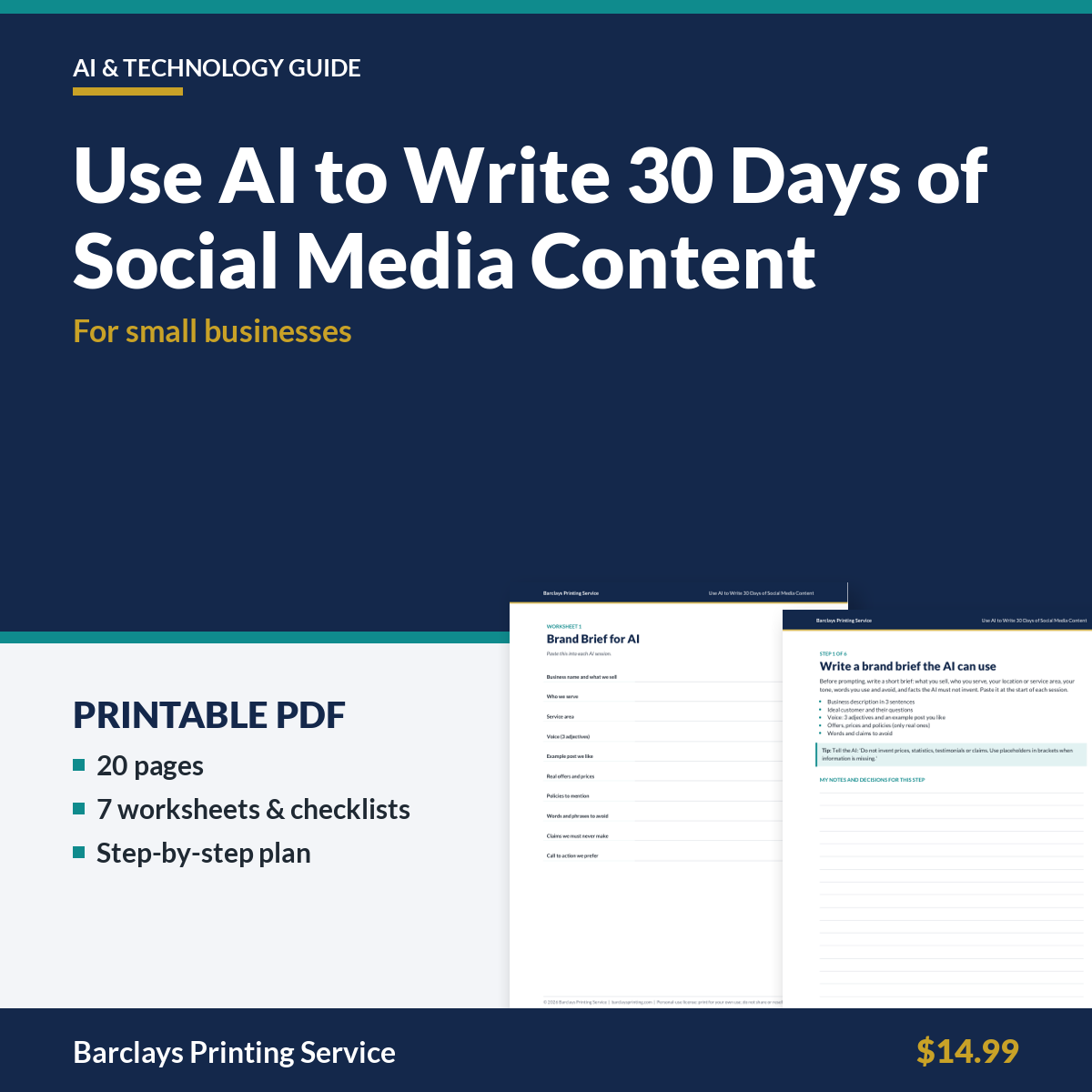
Our Use AI to Write 30 Days of Social Media Content guide is a 20-page printable PDF for small businesses, priced at $14.99. It includes a Brand Brief for AI worksheet, Prompt Templates, a Content Pillar Planner, a two-page 30-Day Content Calendar, a Post Editing Checklist and a Monthly Results Review, plus a personal action plan. It’s an instant digital download you can print and fill in as you plan your month.