
Customers ask the same questions at all hours: What time do you open? Do you serve my area? How do I book? What’s your cancellation policy? If you can’t answer right away, some of those customers move on to someone who can.
A FAQ chatbot on your website or messaging page can answer those common questions any time of day, and today’s no-code builders mean you don’t need to write a single line of code. But a chatbot set up in an afternoon, without clear content, limits or testing, can give confident wrong answers under your business’s name. This post walks business owners through six steps to plan, build and safely launch a no-code FAQ chatbot that answers from your own approved information.
Step 1: Decide the Chatbot’s Job and Limits
Before you open any chatbot builder, define exactly what the bot is for. Most FAQ bots should do a small number of jobs well:
- Answer frequently asked questions.
- Point customers to the right page, such as booking, pricing or policies.
- Collect a contact request when a person needs to follow up.
Then write down what the bot must never do. Typical out-of-scope topics include quoting custom prices, giving legal or medical advice and promising refunds. Also decide when the bot hands off to a human, and where it will appear: your website, a messaging channel or both.
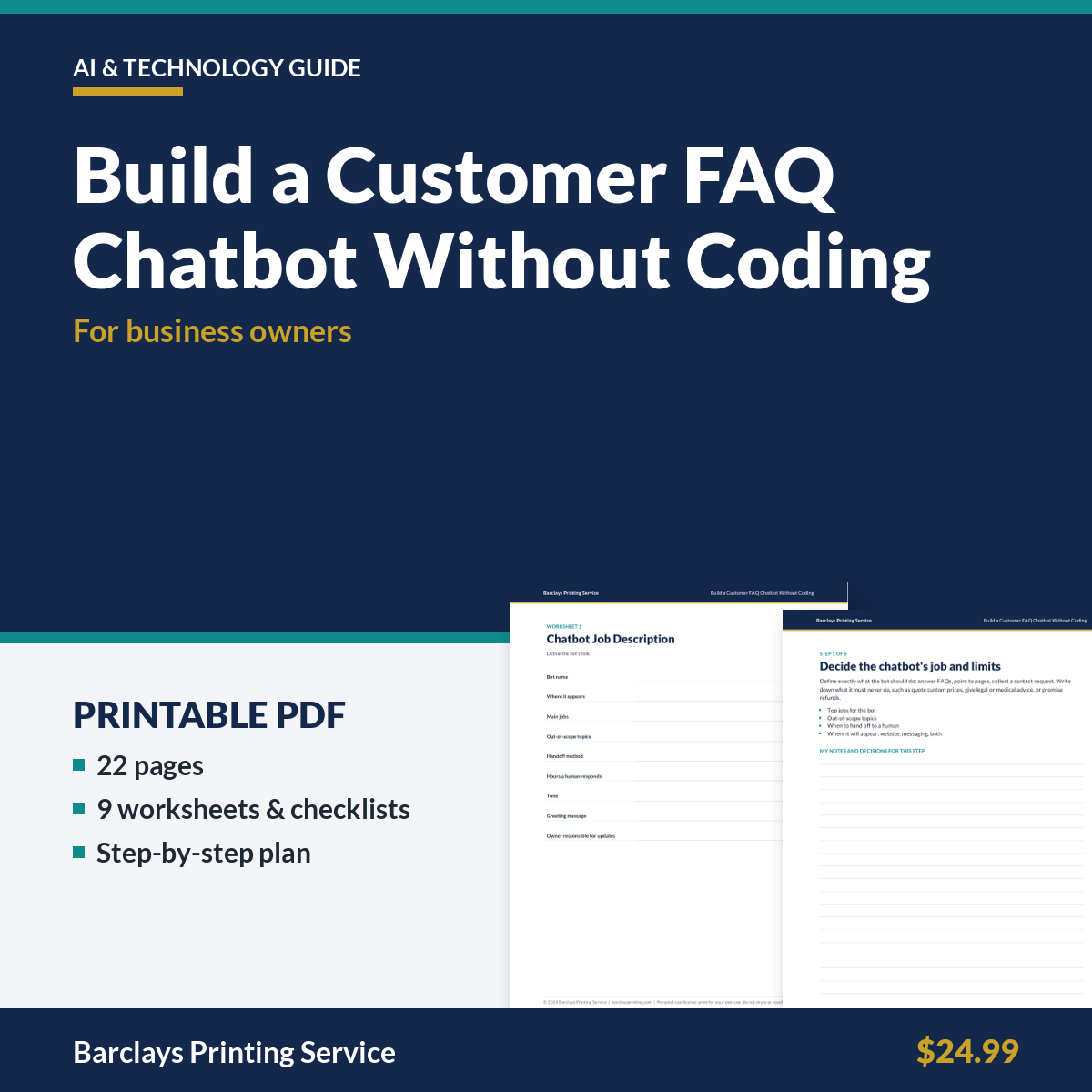
Put it all on one page as a job description for the bot: its name, where it appears, its main jobs, out-of-scope topics, the handoff method, the hours a human responds, its tone, its greeting and who is responsible for keeping it updated.
Step 2: Build Your Knowledge Base
A FAQ chatbot is only as good as the information behind it. This is the most important step, and it happens before you touch the tool. Collect 40 to 60 real customer questions from your inbox, phone calls, comments and messages, then write a clear, accurate answer for each.
- One approved answer for each question.
- Links to your policy pages for the details.
- The basics: hours, location type or service area, policies, booking steps and contact options.
- A date on every answer and an owner responsible for it.
Write answers in plain language. Short answers with a link to more detail work best in a chat window. If you’ve already built a library of approved answers for your inbox, as described in our post on automating customer replies with AI, that library is a ready-made starting point for your chatbot’s knowledge base.
Step 3: Choose a No-Code Tool
Many website platforms, help-desk tools and AI providers now offer chatbot builders. Features, pricing and data-handling terms change often, so compare current details on each provider’s site. Ask the same questions of every tool:
- Can it stay on my content? Restricting answers to your knowledge base reduces made-up answers.
- Can it hand off to a human? Complex issues need to reach a person.
- Where is data stored? This matters for your customers’ privacy.
- Can I review chats? Reviewing conversations is how you find errors and gaps.
- Does it install on my website platform?
- What does it cost after any trial?
Write the date you checked each tool’s pricing next to your notes. That way you’ll know when your comparison is out of date.
Step 4: Write the Bot’s Instructions and Greeting
Most AI chatbot tools let you write instructions that shape how the bot behaves. Good instructions cover four things: the bot’s role and tone, a rule to use only the knowledge base, what to do when it’s unsure, and how to handle privacy and sensitive data.
An example instruction you can adapt: “You are the FAQ assistant for [business]. Answer only from the provided information. If the answer isn’t there, say you don’t know and offer [contact method].”
Set Expectations in the Greeting
Your greeting should make clear that the customer is talking to an automated assistant and explain what it can help with. Don’t let the bot collect sensitive information it doesn’t need.
Write Your Handoff and Fallback Messages
Decide in advance what the bot says when a human is needed. Write messages for:
- When the answer isn’t in the knowledge base.
- A complaint or an upset customer.
- A request outside business hours.
- Collecting contact details, asking only for what’s needed.
Step 5: Test Hard Before Launch
This is the step most business owners skip, and it’s where most problems are caught. Write a test script with each question and the answer you expect, then record whether the bot got it right and what needs fixing.
- Ask the bot every FAQ in your knowledge base.
- Try tricky questions, edge cases and off-topic questions.
- Try to get it to break its rules, such as quoting a custom price or promising a refund.
- Test the handoff to make sure messages actually reach you.
- Check how the chat window displays on a phone.
- Ask a second person to test it, since they’ll phrase questions differently than you do.
When the bot fails, fix the cause in the knowledge base or the instructions, then test again.
Step 6: Launch, Monitor and Update
Launch with a clear label that it’s an automated assistant and an easy way to reach a person. Before you go live, confirm that all FAQs and tricky tests pass, the handoff works and your privacy notice is updated if needed.
After launch, the work shifts to review:
- Review conversations weekly at first, then monthly.
- Fix wrong answers immediately.
- Add new questions as they come up.
- Update answers for holidays and policy changes.
A simple monthly log of chats reviewed, wrong answers found, new questions and knowledge base updates keeps the bot accurate over time. If you’re still setting up the website the bot will live on, our post on building a simple website with AI covers that first.
Common Mistakes to Avoid
- Launching before writing a knowledge base.
- No handoff to a human.
- Letting the bot answer out-of-scope questions.
- Skipping tricky-question tests.
- Never reviewing conversations.
Get the Printable FAQ Chatbot Guide
Our Build a Customer FAQ Chatbot Without Coding guide is a 22-page printable PDF for business owners, priced at $24.99. It includes a Chatbot Job Description, a two-page FAQ Knowledge Base, a Tool Comparison, a Bot Instructions Draft, a Test Script and Results worksheet, a Launch and Monitoring Checklist, Handoff and Fallback Messages and a Monthly Chat Review Log, plus a personal action plan. It’s an instant digital download you can print and fill in as you build your chatbot. Results depend on your own situation and effort; no specific outcome is promised.