
Digital downloads look easy from the outside. You make a file once, list it, and sell it as many times as people buy it, with no inventory to store and nothing to ship. Yet plenty of beginners never get past the first attempt. They get stuck on what to make, which file formats to deliver, how to price, where to sell and how to write a listing, and they end up with half-finished files sitting on their computer.
The difference between a product that sells and one that sits is rarely fancy design. It is whether the product solves a clear problem and whether the listing makes that obvious. This post lays out a six-step plan for complete beginners who want to sell printables, planners, templates, worksheets, guides or other files. You do not need a design degree; basic comfort with a computer and a free design or document tool is enough.
Step 1: Choose a Product People Already Look For
Start with a specific problem for a specific person, not a general topic. “A planner” is hard to sell. “A meal planner for shift workers,” “a budget sheet for college students” or “a party checklist for first-time hosts” tells the right buyer immediately that it was made for them.
- Write the problem in one sentence
- Name the exact buyer
- Find 5 similar products and read their reviews
- List what you can do better or differently
Let reviews tell you what is missing
Searching marketplaces for similar products confirms that people are interested. Reading the reviews tells you more: what buyers liked, what confused them and what they wished had been included. Those gaps are your opening. Making a product before checking that anyone searches for it is the first mistake to avoid.
Step 2: Plan the Contents Before Designing
It is tempting to open a design tool and start decorating. Outline every page or section first instead. A tight outline prevents endless redesigns, because you know what each page is for before you make it look nice.
- A page list with a purpose for each page
- Paper size: US Letter, A4 or both
- Print-friendly colors and margins
- Fillable or print-only
Decide how buyers will use the product: printed, on screen or both. If you sell internationally, consider offering both US Letter and A4 versions so buyers outside the US are not left resizing pages themselves.
Step 3: Build It With Tools You Already Have
You can create good products with common tools: a word processor, a spreadsheet program, a free online design tool or a slide program. What makes a product look professional is consistency, not expensive software.
- Use 1 to 2 fonts and a small color palette
- Check commercial-use licenses for fonts and graphics
- Proofread every page twice
- Print a test copy
Check every license
A font or graphic that is free for personal use is not automatically allowed in a product you sell. Check that everything you use is licensed for commercial use, and note the source and license in a simple style sheet so you can find it later. Printing a test copy catches problems you will never spot on screen, such as text too close to the edge or colors that turn muddy on a home printer.
Step 4: Prepare Files Buyers Can Open
A buyer who cannot open your file will not care how good it looks. Export to formats people can open without special software:
- Printables and planners: PDF, the safest choice
- Spreadsheets and calculators: XLSX or a shared template link
- Templates for editing: an editable file or template link
- Several files: a ZIP bundle with clear file names
Include a short “start here” page or note that explains what each file is and how to use it. Then test the download on both a phone and a computer, because many buyers will open it on whatever device they bought it on.
Step 5: Choose Where to Sell and Price It
Marketplaces bring shoppers but charge fees; your own website gives you more control. Compare two or three platforms on fees, audience, file limits and pros and cons. Fees and terms change, so read each platform’s current fees and terms on its official pages yourself and write down the date you checked.
- Price by the value of the problem solved and by comparable products
- Do not price by page count alone
- Set a launch price and a date to review it
- Plan bundles for related products
A two-page checklist that saves someone hours of stress can be worth more than a forty-page file nobody finishes. Pricing by page count instead of usefulness is a common beginner mistake. If you already sell handmade items and want a cost-based method to compare against, How to Price Handmade Products for Profit walks through one.
Step 6: Write the Listing and Launch
Your listing does the selling while you sleep, so it has to answer a buyer’s questions before they ask them. A good listing explains the problem, shows what is inside, lists the file formats and page count, and clearly states that it is a digital download and no physical item ships.
- A title with the product type and who it is for
- 3 to 5 preview images of real pages
- A clear “what you get” list
- Usage and license terms
- A launch to your network and social accounts
Make preview images from the actual pages so buyers know exactly what they will receive. Previews that do not match the real file lead to disappointed buyers. Forgetting to say it is a digital download is another easy-to-avoid mistake that causes confused customers.
Reuse a Launch Checklist
Once your first product is live, turn the process into a checklist you run for every new product: pages proofread, test print checked, fonts and graphics licensed, files exported and zipped with clear names, download tested, listing written, previews made from real pages, digital-only note and license terms included, and a review date set. Track views, sales and the changes you make each month so you know what to improve next.
If you already sell a service, a downloadable template can become one of several connected offers. How to Turn One Service Into Five Income Streams shows how DIY products fit alongside client work.
Common Mistakes to Avoid
- Making a product before checking that anyone searches for it
- Using fonts or graphics without a commercial license
- Preview images that don’t match the real file
- Forgetting to state that it’s a digital download
- Pricing by page count instead of usefulness
Get the Full Digital Downloads Guide
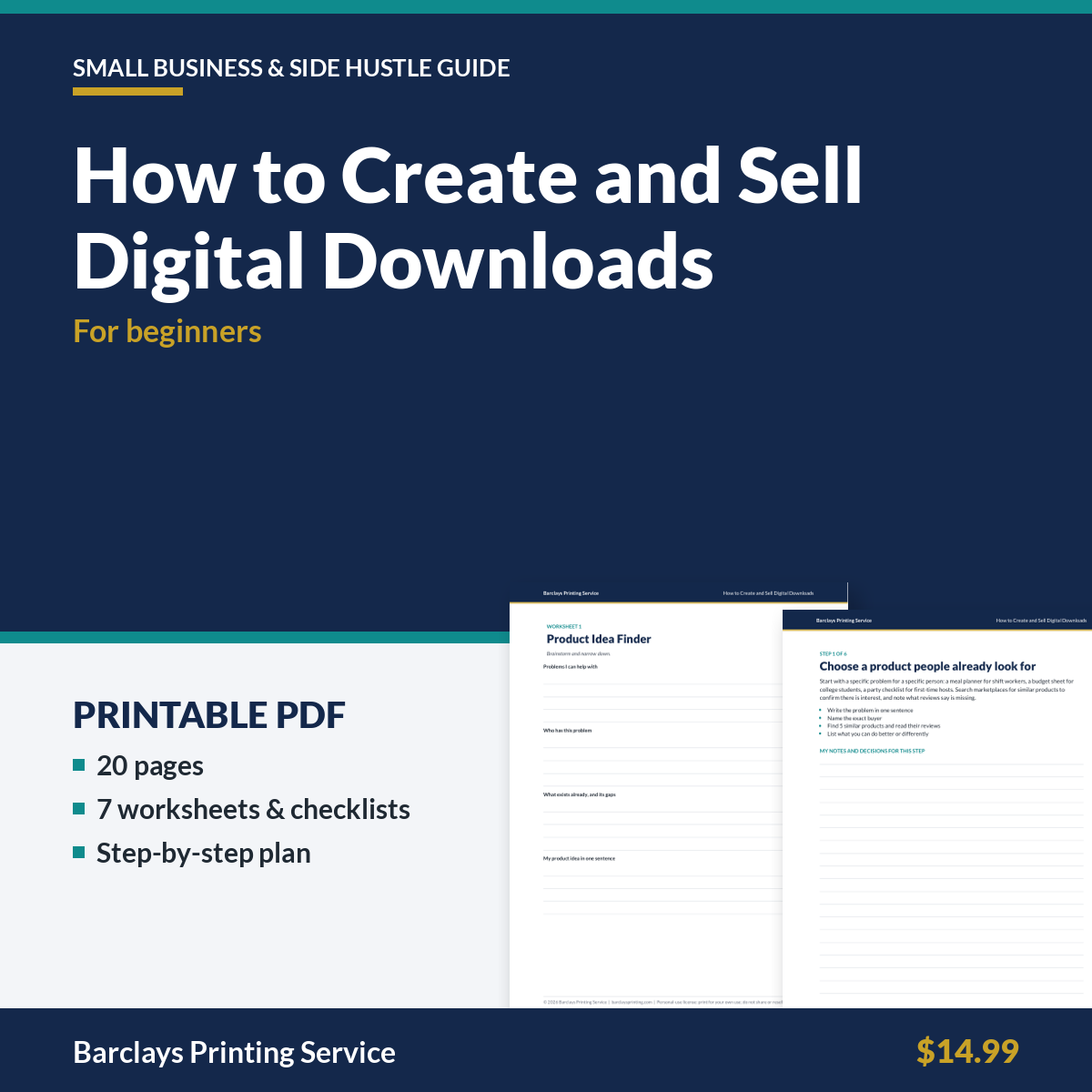
How to Create and Sell Digital Downloads is a 20-page printable PDF guide for $14.99. It includes 7 worksheets and checklists: Product Idea Finder, Content Outline, Style Sheet, Platform Comparison, Listing Draft, Product Launch Checklist, and Sales and Review Tracker, plus a personal action plan. It is an instant digital download; no physical item ships.